Press "Windows" key on keyboard
Search "Display Settings"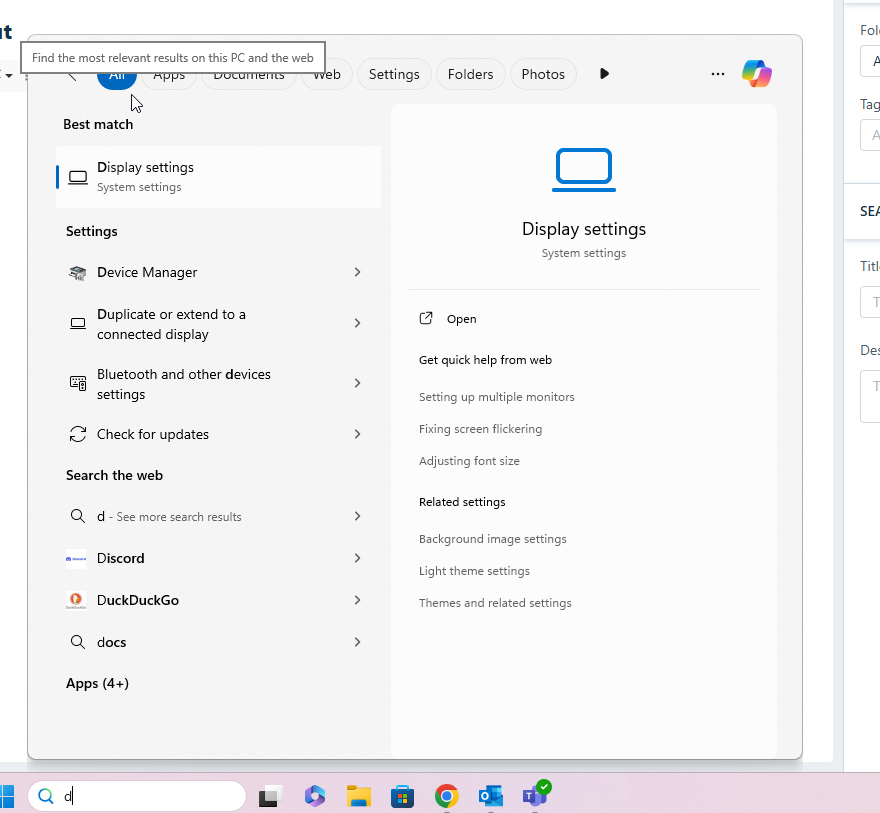
Click "Identify" to determine current monitor placement if needed.
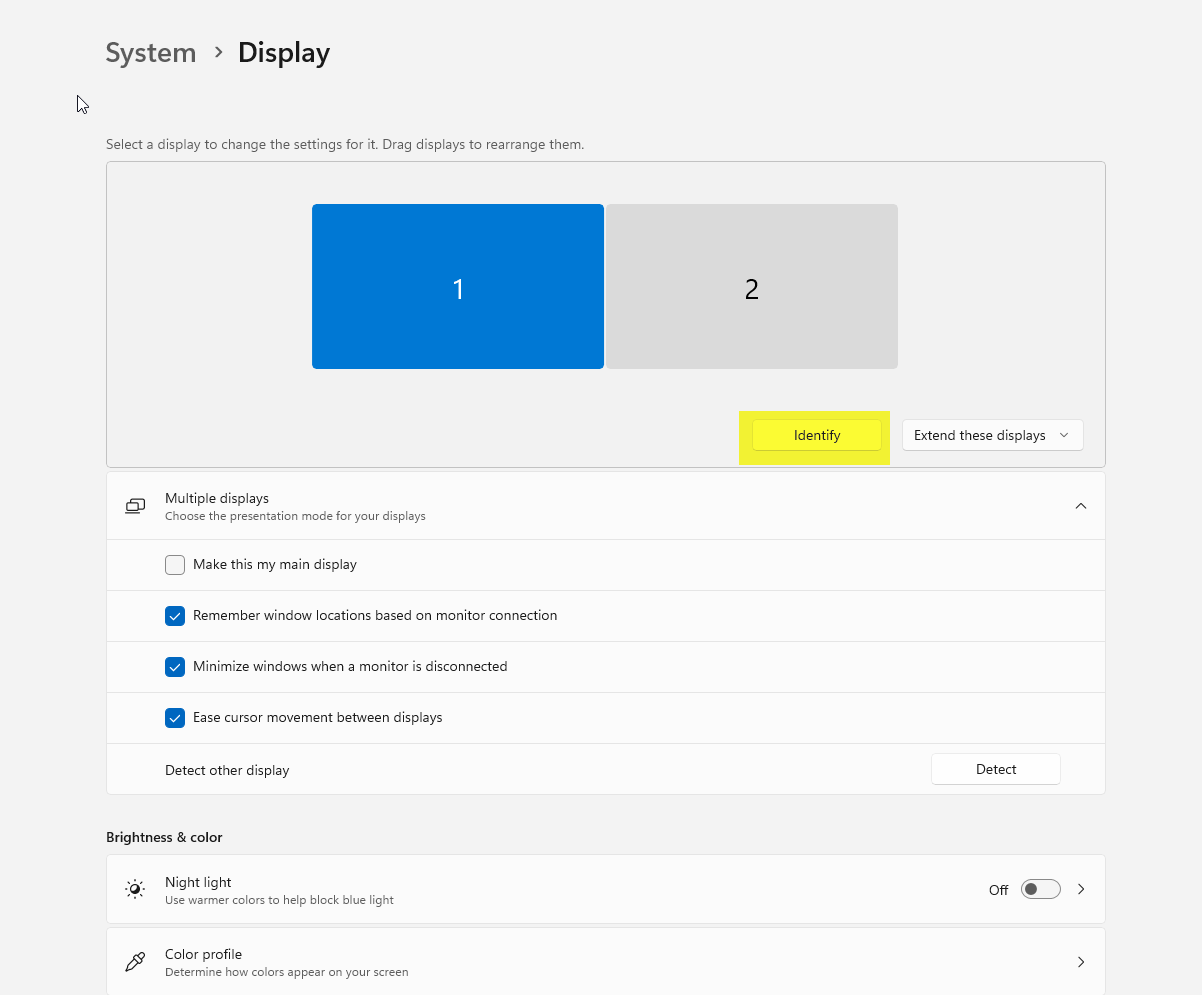
Drag and drop monitors on screen labeled as "1" and "2" accordingly
Was this article helpful?
That’s Great!
Thank you for your feedback
Sorry! We couldn't be helpful
Thank you for your feedback
Feedback sent
We appreciate your effort and will try to fix the article