Check toolbar for OneDrive symbol
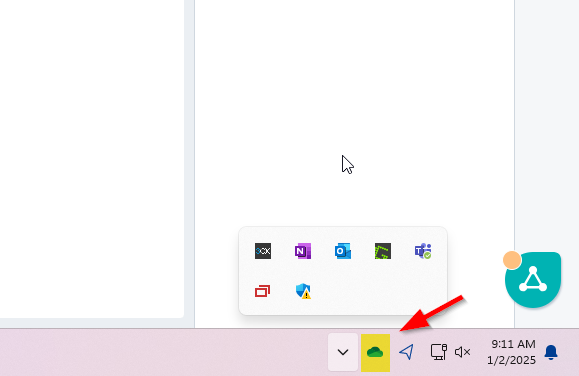
If symbol is not visible follow Steps 1 and 2. If symbol is visible skip to steps 3 and 4.
Step 1:
Press "Windows" key on keyboard
Step 2: Search "OneDrive" and click "Open"
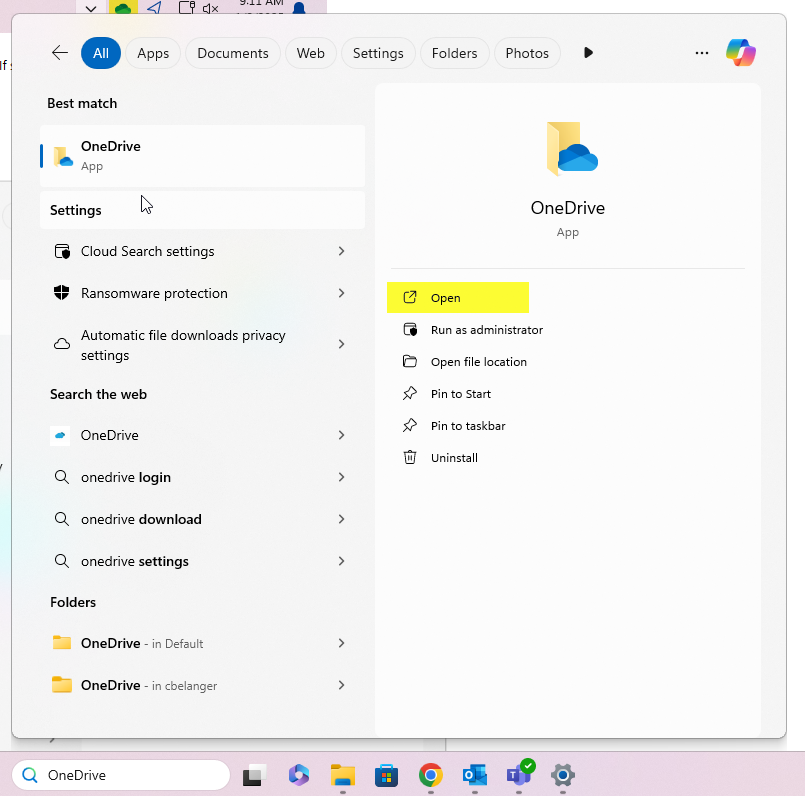
Step 3:
Check symbol status. If symbol look like this, or issue is unresolved, please submit a ticket.

Was this article helpful?
That’s Great!
Thank you for your feedback
Sorry! We couldn't be helpful
Thank you for your feedback
Feedback sent
We appreciate your effort and will try to fix the article