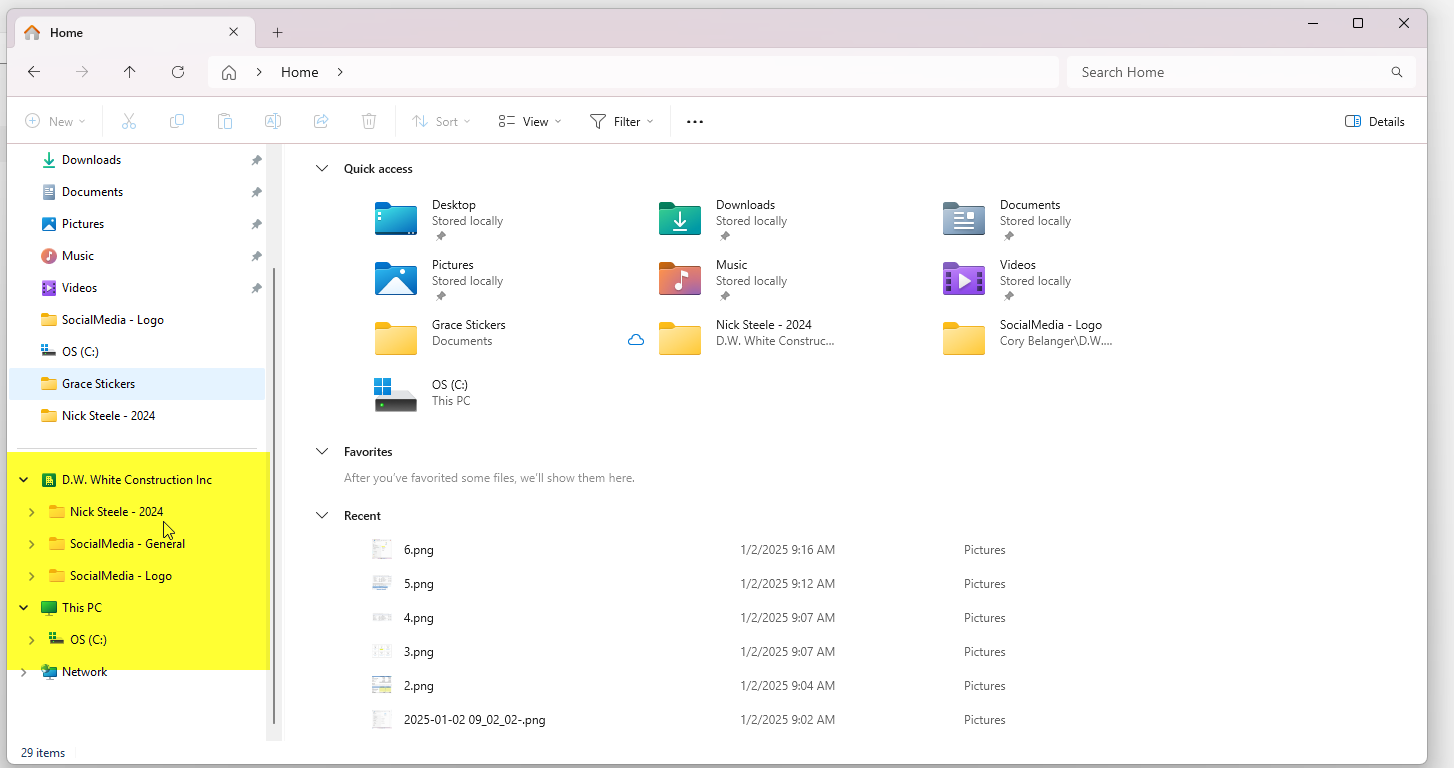
If you have been provided access to a sharepoint job file and it isn't available through your file explorer on the left side as shown. Follow the following steps to sync your OneDrive.
Step 1: Go to portal.office.com
Step 2: Sign in.
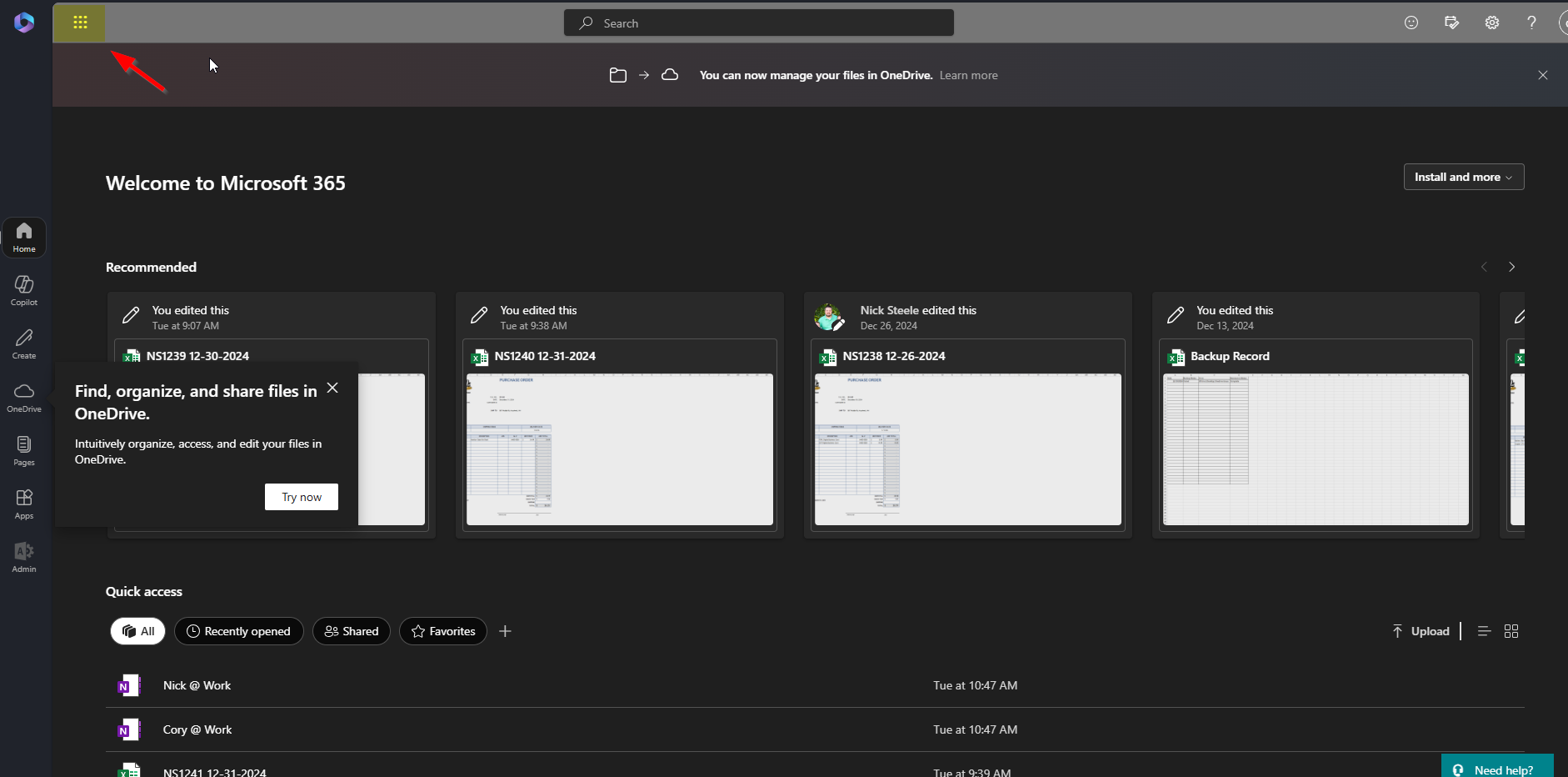
Step 3: Click the "Waffle" in the top left of the page as shown
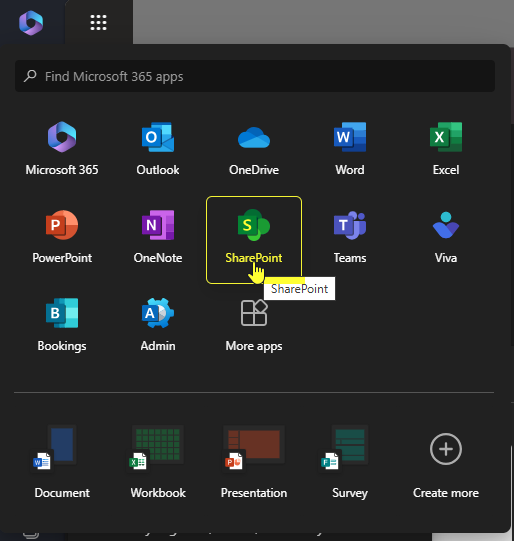
Step 4: Click "Sharepoint" as shown
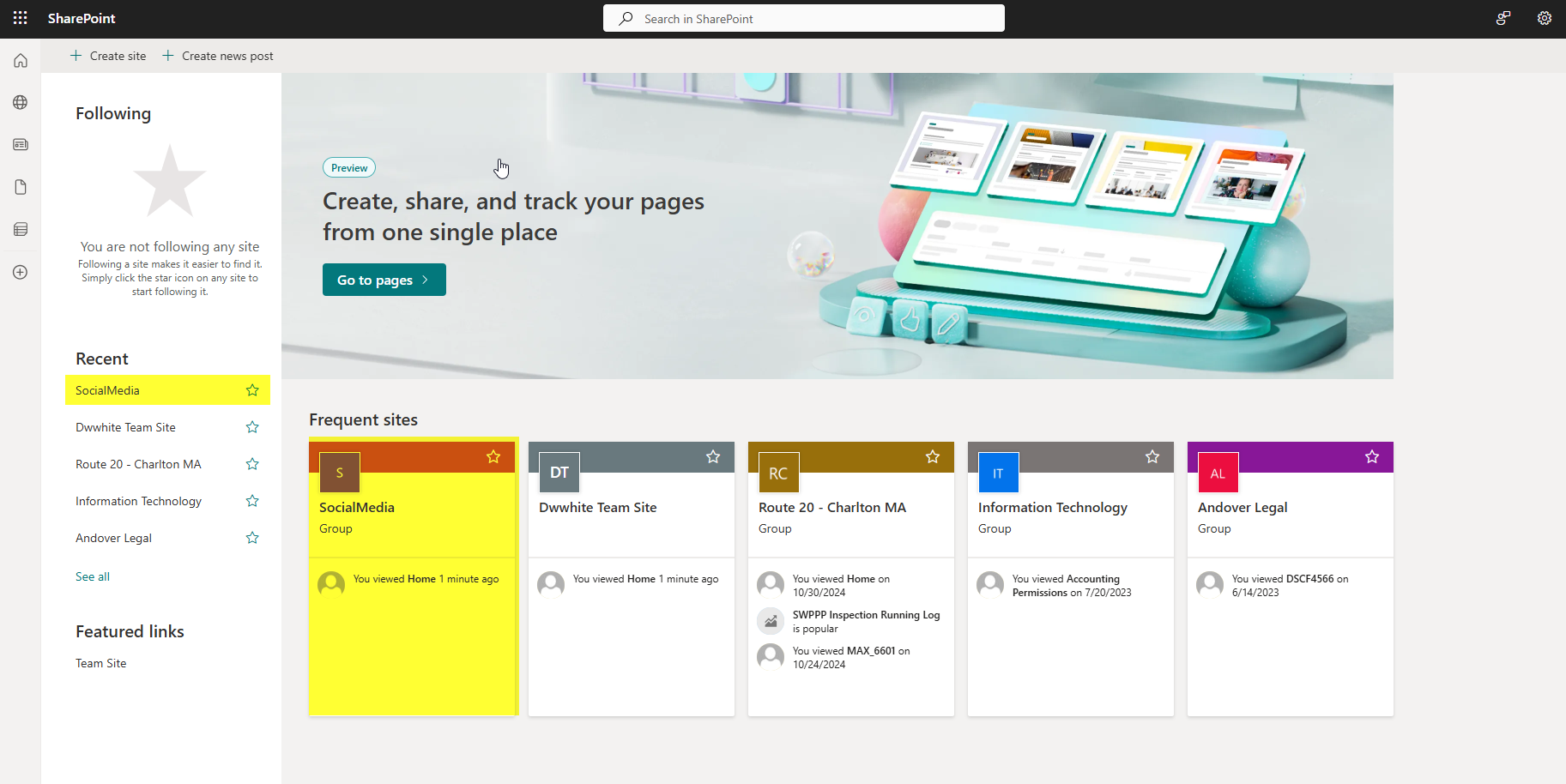
Step 5: Click the job you would like to sync. In this case I will use the job "Social Media".
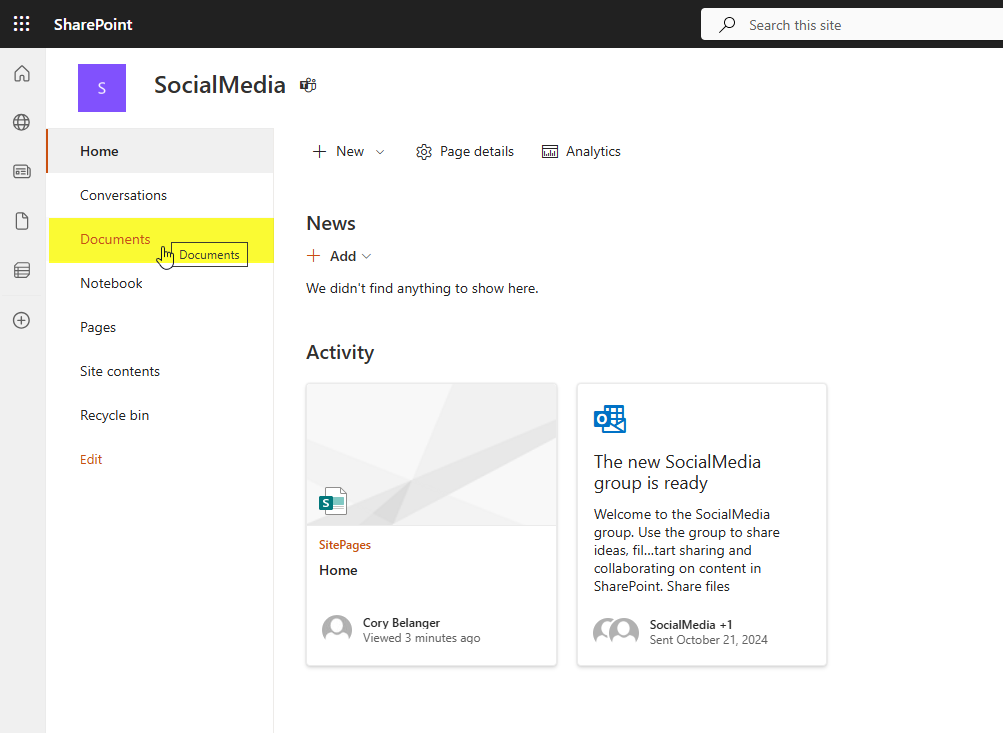
Step 6: On the left side of your screen, click "Documents"
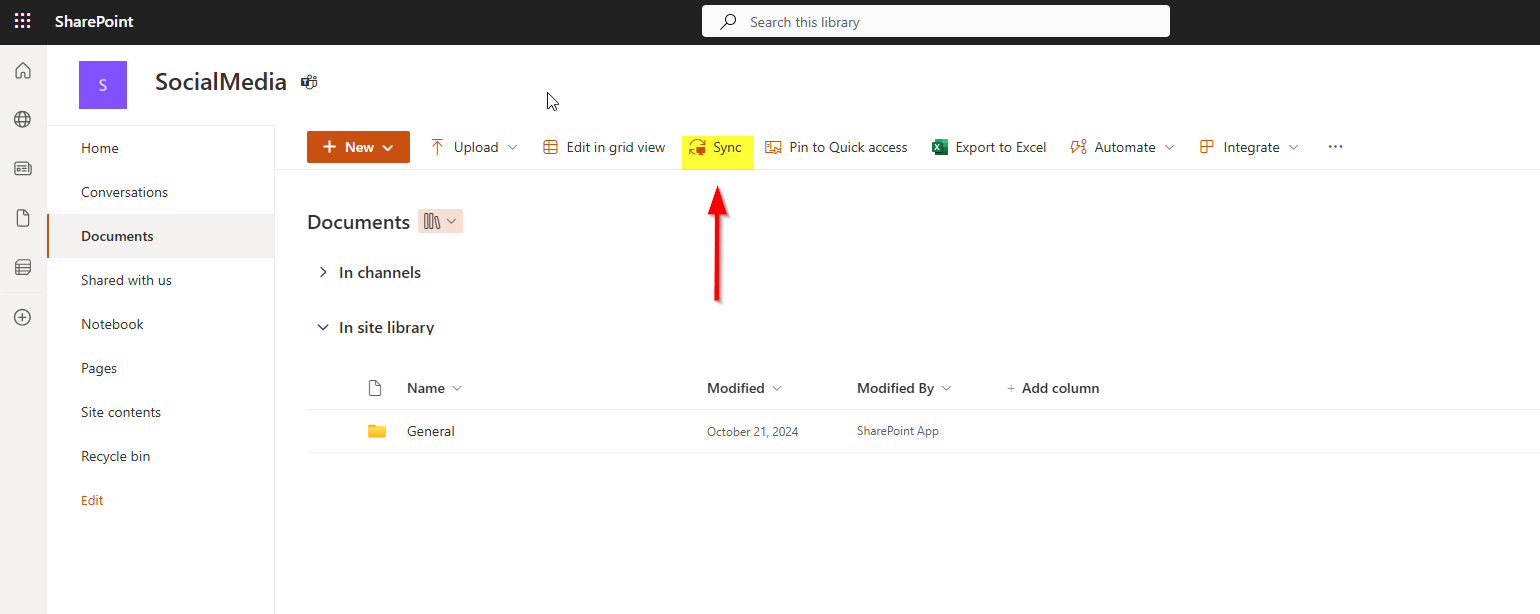
Step 7: Click "Sync"
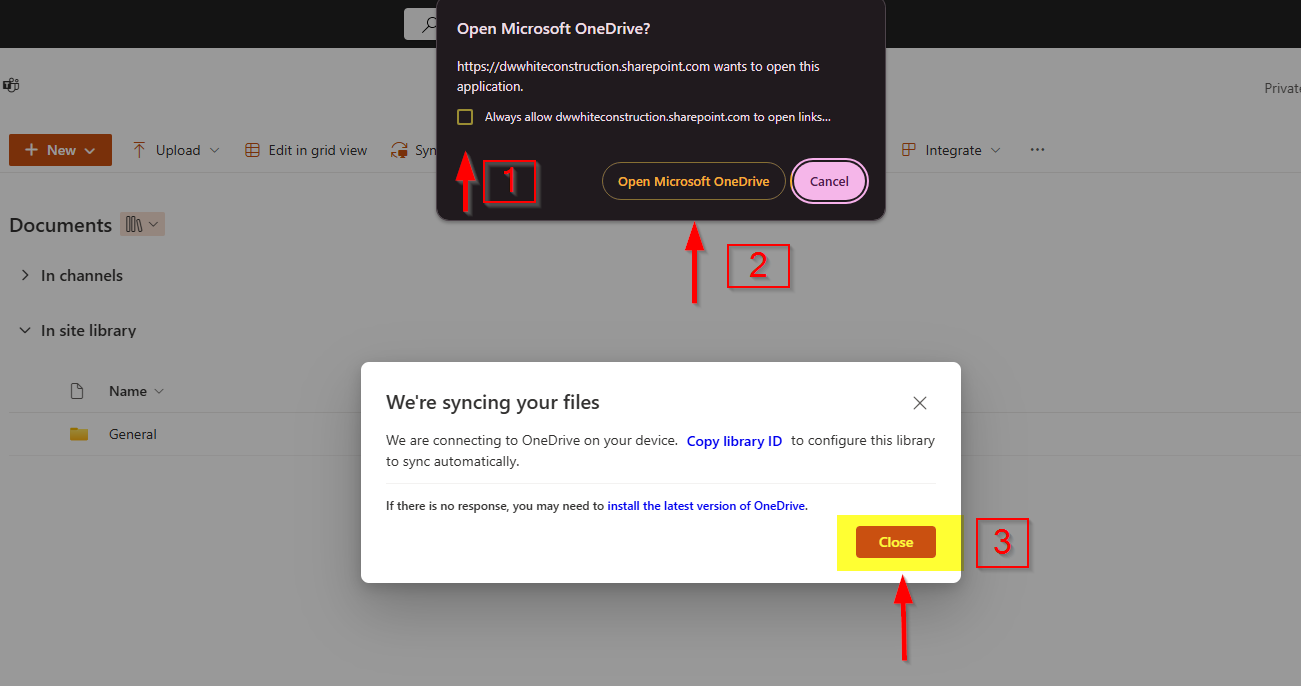
Step 8: Click the box in the pop-up as shown (1), then click "Open Microsoft OneDrive" (2). Lastly click "Close" (3) on the lower pop-up.
Done. If problems persist, please submit a ticket.
Was this article helpful?
That’s Great!
Thank you for your feedback
Sorry! We couldn't be helpful
Thank you for your feedback
Feedback sent
We appreciate your effort and will try to fix the article