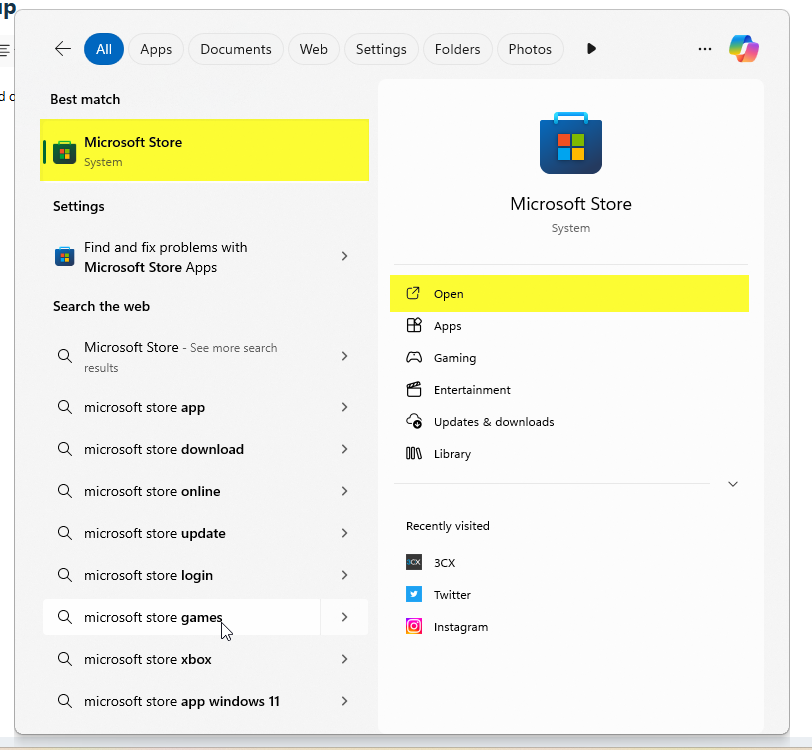
Step 1: Hit the "Windows Key" on keyboard or search on the task bar for "Microsoft Store"
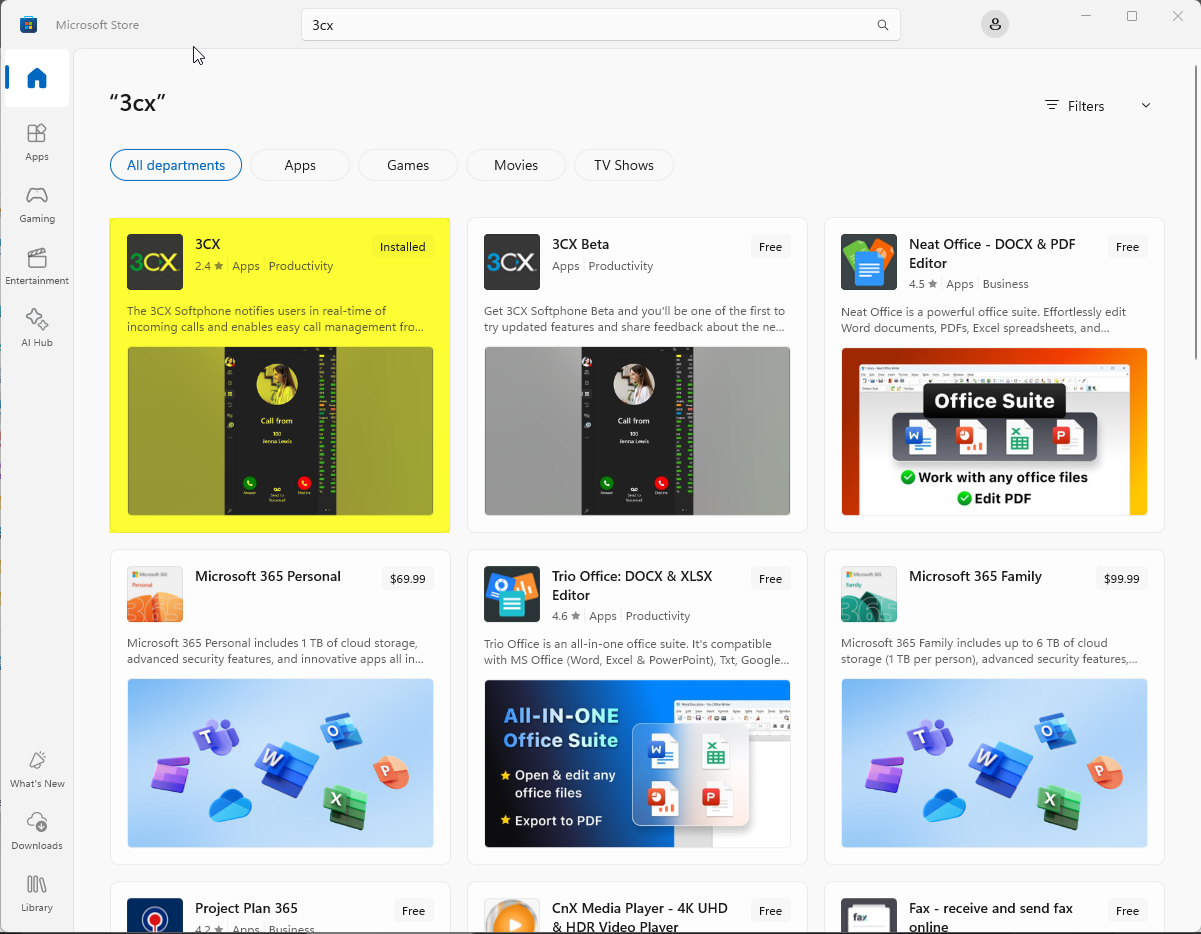
Step 2: Search for "3CX" within the Microsoft Store
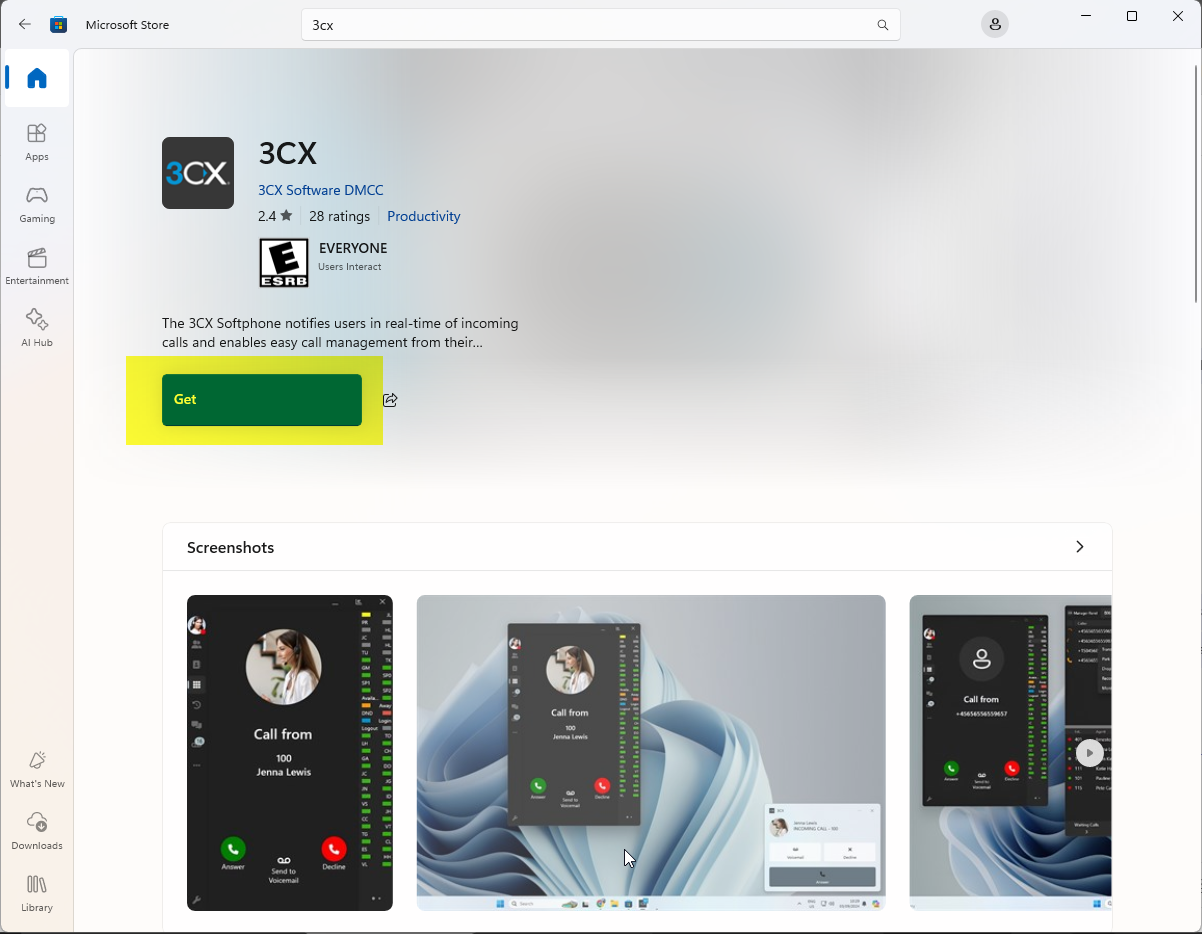
Step 3: Click "Get"
Step 4: Open the 3CX app and type in the following
3CX URL:
Login Credentials:
Work Email (youremail@dwwhite.com)
Password
If you don't know your password, feel free to click "Forgot Password" and follow the prompts in your email inbox.
Was this article helpful?
That’s Great!
Thank you for your feedback
Sorry! We couldn't be helpful
Thank you for your feedback
Feedback sent
We appreciate your effort and will try to fix the article